
Home
Autodesk Revit 2024: Site Planning and Design (Metric Units)
Barnes and Noble
Loading Inventory...
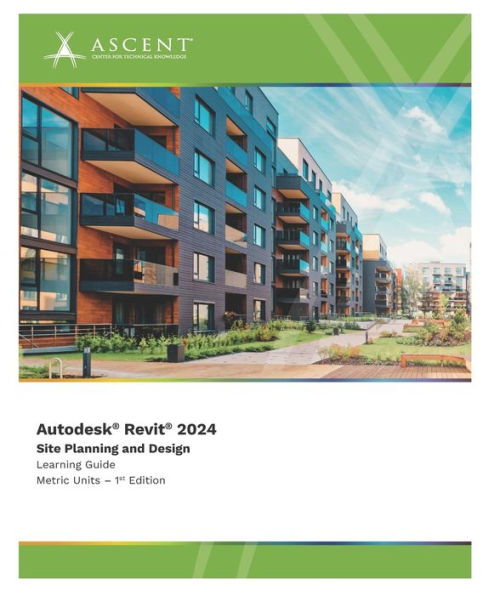
Autodesk Revit 2024: Site Planning and Design (Metric Units) in Franklin, TN
Current price: $60.00
Barnes and Noble
Autodesk Revit 2024: Site Planning and Design (Metric Units) in Franklin, TN
Current price: $60.00
Loading Inventory...
Size: OS
The objective of the
Autodesk
(R)
Revit
2024: Site Planning and Design
guide is to enable users who have worked with the Autodesk Revit software to understand concepts and tools related to site planning and design. This guide covers the Revit coordinate system, which is used to coordinate multiple files in a single project, as well as the elements and tools that are used to create toposolids for site work.
Topics Covered
Site Planning
Understanding the Revit coordinate system, positioning, true north, and project north.
Linking files.
Relocating the project elevation.
Working with shared coordinates by acquiring and publishing coordinates.
Exporting Revit models to .DWG. Site Design
Creating toposolids.
Adding property lines.
Modifying toposolids by creating sub-divides, splitting surfaces, and grading.
Annotating site plans and adding site components.
Prerequisites
Access to the 2024.1 version of the software, to ensure compatibility with this guide. Future software updates that are released by Autodesk may include changes that are not reflected in this guide. The practices and files included with this guide might not be compatible with prior versions (e.g., 2023).
Knowledge of the basic techniques of the fundamentals of the Autodesk Revit software covered in the
Autodesk Revit 2024: Fundamentals for Architecture
guide.
Autodesk
(R)
Revit
2024: Site Planning and Design
guide is to enable users who have worked with the Autodesk Revit software to understand concepts and tools related to site planning and design. This guide covers the Revit coordinate system, which is used to coordinate multiple files in a single project, as well as the elements and tools that are used to create toposolids for site work.
Topics Covered
Site Planning
Understanding the Revit coordinate system, positioning, true north, and project north.
Linking files.
Relocating the project elevation.
Working with shared coordinates by acquiring and publishing coordinates.
Exporting Revit models to .DWG. Site Design
Creating toposolids.
Adding property lines.
Modifying toposolids by creating sub-divides, splitting surfaces, and grading.
Annotating site plans and adding site components.
Prerequisites
Access to the 2024.1 version of the software, to ensure compatibility with this guide. Future software updates that are released by Autodesk may include changes that are not reflected in this guide. The practices and files included with this guide might not be compatible with prior versions (e.g., 2023).
Knowledge of the basic techniques of the fundamentals of the Autodesk Revit software covered in the
Autodesk Revit 2024: Fundamentals for Architecture
guide.
The objective of the
Autodesk
(R)
Revit
2024: Site Planning and Design
guide is to enable users who have worked with the Autodesk Revit software to understand concepts and tools related to site planning and design. This guide covers the Revit coordinate system, which is used to coordinate multiple files in a single project, as well as the elements and tools that are used to create toposolids for site work.
Topics Covered
Site Planning
Understanding the Revit coordinate system, positioning, true north, and project north.
Linking files.
Relocating the project elevation.
Working with shared coordinates by acquiring and publishing coordinates.
Exporting Revit models to .DWG. Site Design
Creating toposolids.
Adding property lines.
Modifying toposolids by creating sub-divides, splitting surfaces, and grading.
Annotating site plans and adding site components.
Prerequisites
Access to the 2024.1 version of the software, to ensure compatibility with this guide. Future software updates that are released by Autodesk may include changes that are not reflected in this guide. The practices and files included with this guide might not be compatible with prior versions (e.g., 2023).
Knowledge of the basic techniques of the fundamentals of the Autodesk Revit software covered in the
Autodesk Revit 2024: Fundamentals for Architecture
guide.
Autodesk
(R)
Revit
2024: Site Planning and Design
guide is to enable users who have worked with the Autodesk Revit software to understand concepts and tools related to site planning and design. This guide covers the Revit coordinate system, which is used to coordinate multiple files in a single project, as well as the elements and tools that are used to create toposolids for site work.
Topics Covered
Site Planning
Understanding the Revit coordinate system, positioning, true north, and project north.
Linking files.
Relocating the project elevation.
Working with shared coordinates by acquiring and publishing coordinates.
Exporting Revit models to .DWG. Site Design
Creating toposolids.
Adding property lines.
Modifying toposolids by creating sub-divides, splitting surfaces, and grading.
Annotating site plans and adding site components.
Prerequisites
Access to the 2024.1 version of the software, to ensure compatibility with this guide. Future software updates that are released by Autodesk may include changes that are not reflected in this guide. The practices and files included with this guide might not be compatible with prior versions (e.g., 2023).
Knowledge of the basic techniques of the fundamentals of the Autodesk Revit software covered in the
Autodesk Revit 2024: Fundamentals for Architecture
guide.
You May Also Like














More About Barnes and Noble at CoolSprings Galleria
Barnes & Noble is the world’s largest retail bookseller and a leading retailer of content, digital media and educational products. Our Nook Digital business offers a lineup of NOOK® tablets and e-Readers and an expansive collection of digital reading content through the NOOK Store®. Barnes & Noble’s mission is to operate the best omni-channel specialty retail business in America, helping both our customers and booksellers reach their aspirations, while being a credit to the communities we serve.
1800 Galleria Blvd #1310, Franklin, TN 37067, United States
Find Barnes and Noble at CoolSprings Galleria in Franklin, TN
Visit Barnes and Noble at CoolSprings Galleria in Franklin, TN